CitySprint Courier App
Download and Installation Guide
This page will take you step by step though the process of downloading and installing the CitySprint V4 App on your device.
Please open this link on your mobile device to be able to download and install
Step 1
To begin the process tap the button below to take you to the app store.

Step 1
To begin the process tap the download button below.
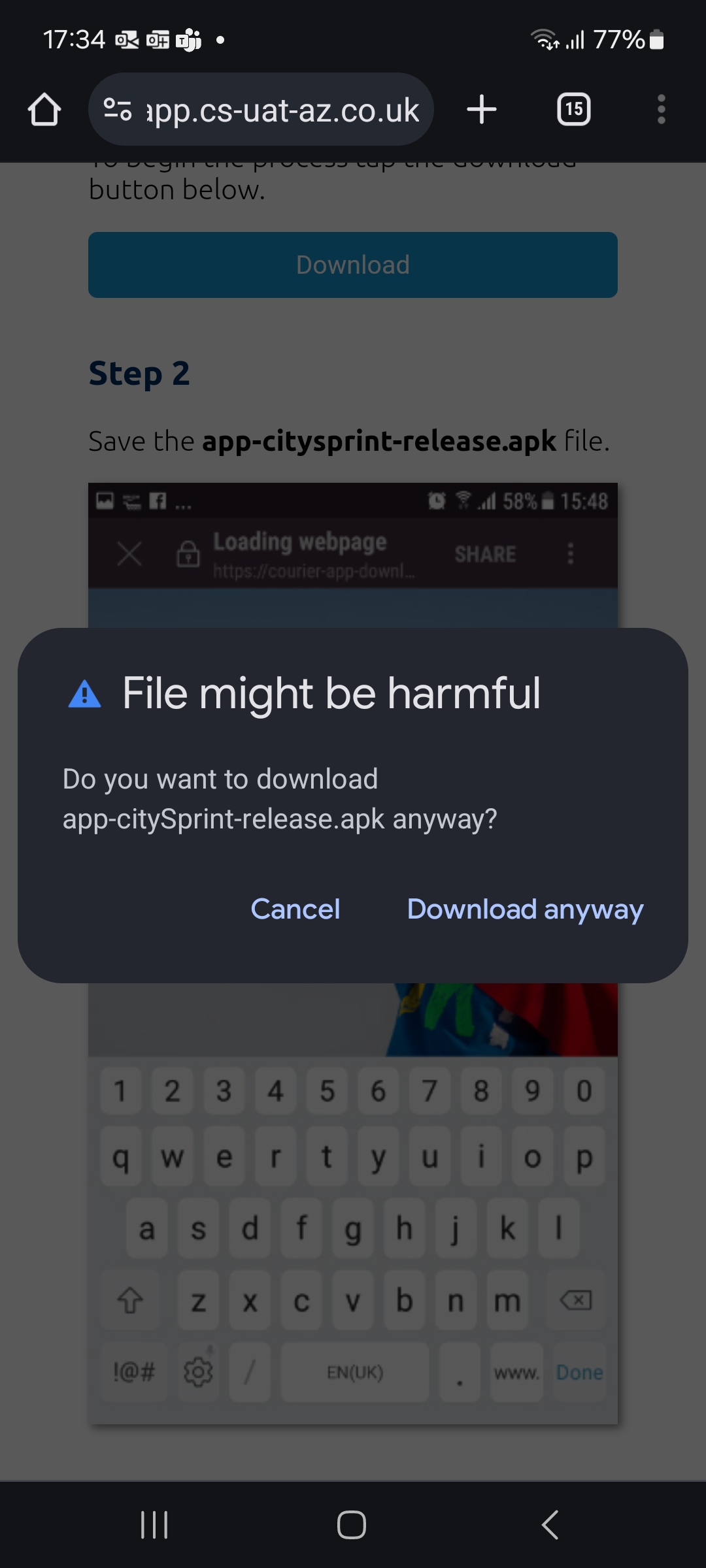
Step 2
Save the app-citysprint-release.apk file. Select the download anyway button.
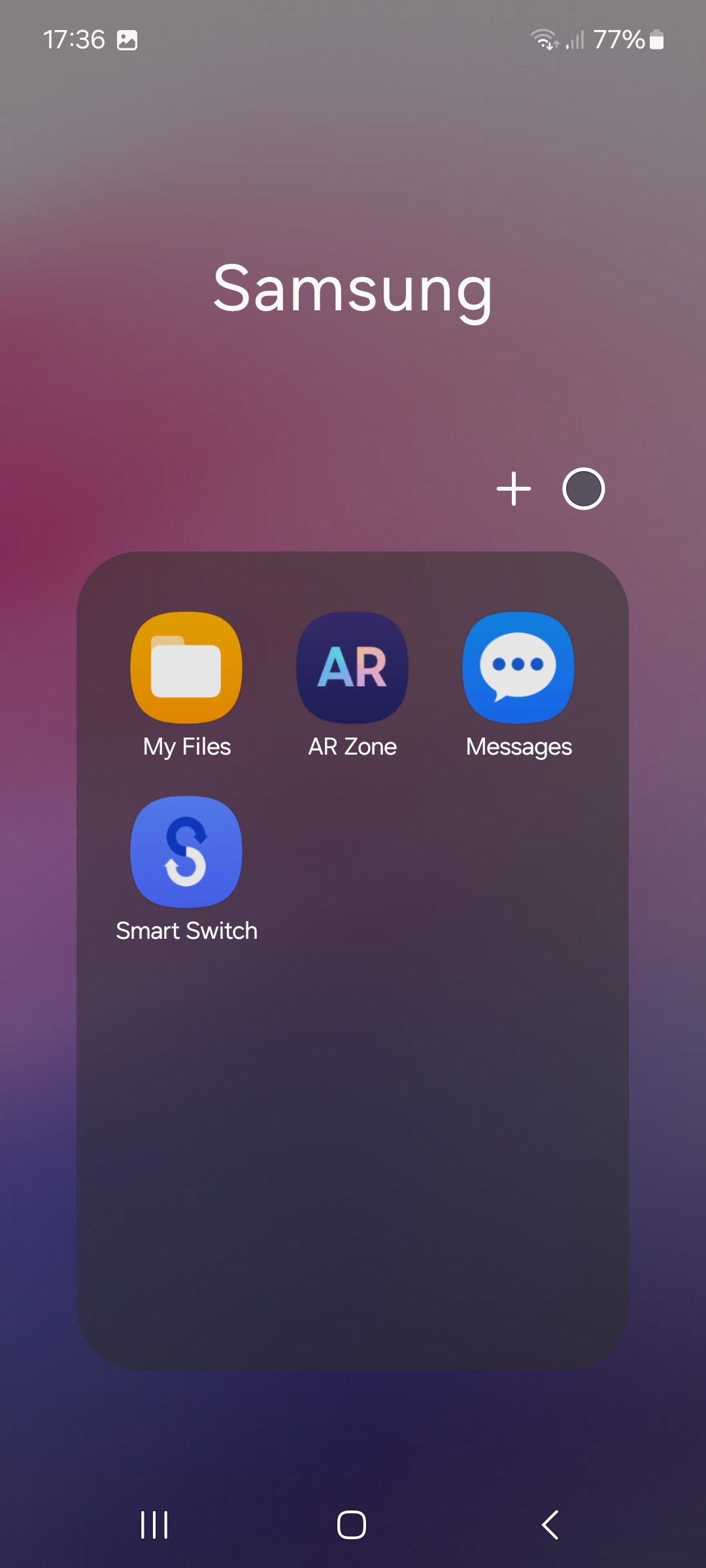
Step 3
Go to the My Files folder. This may be located in another folder in the app drawer.
Step 4
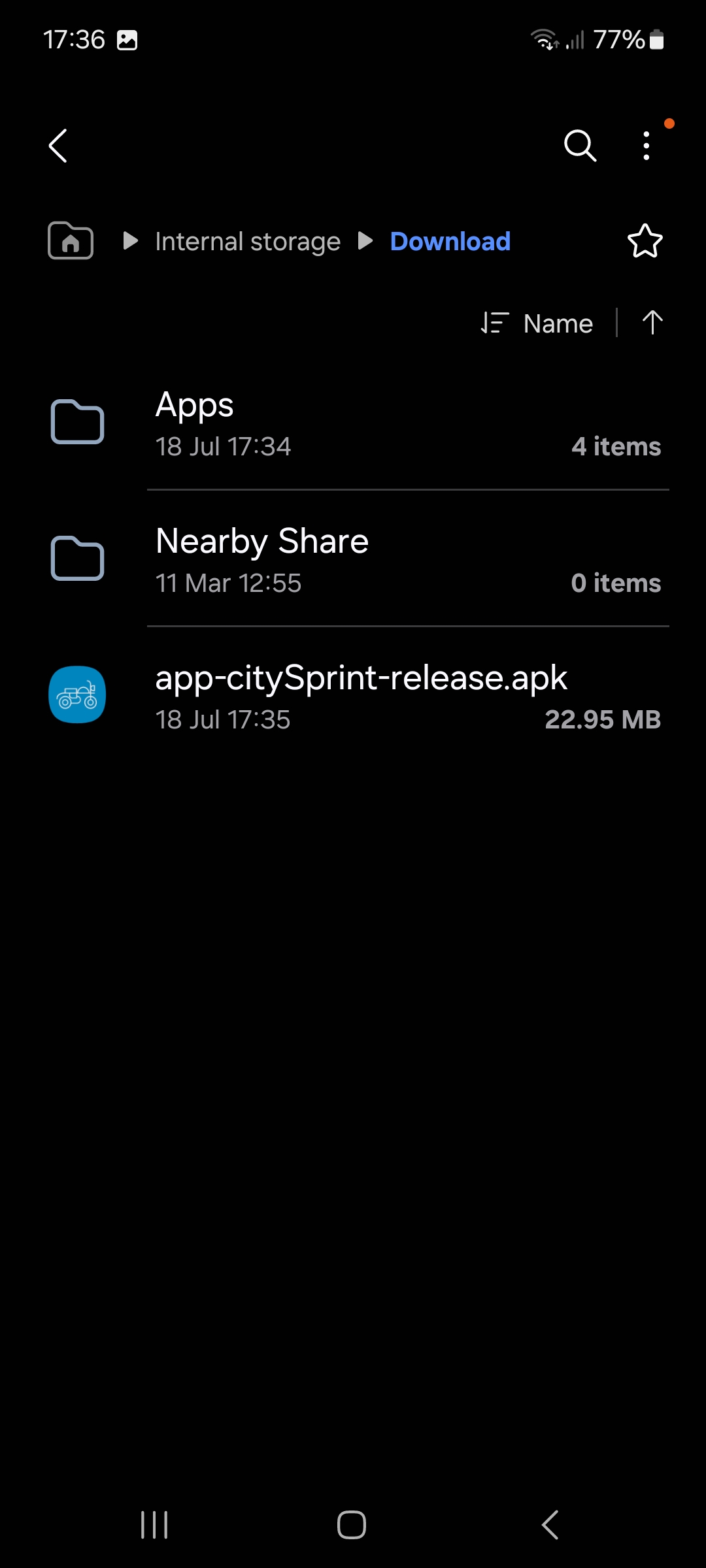
Select Downloads option. This may be located under internal storage and then Download.
Step 5
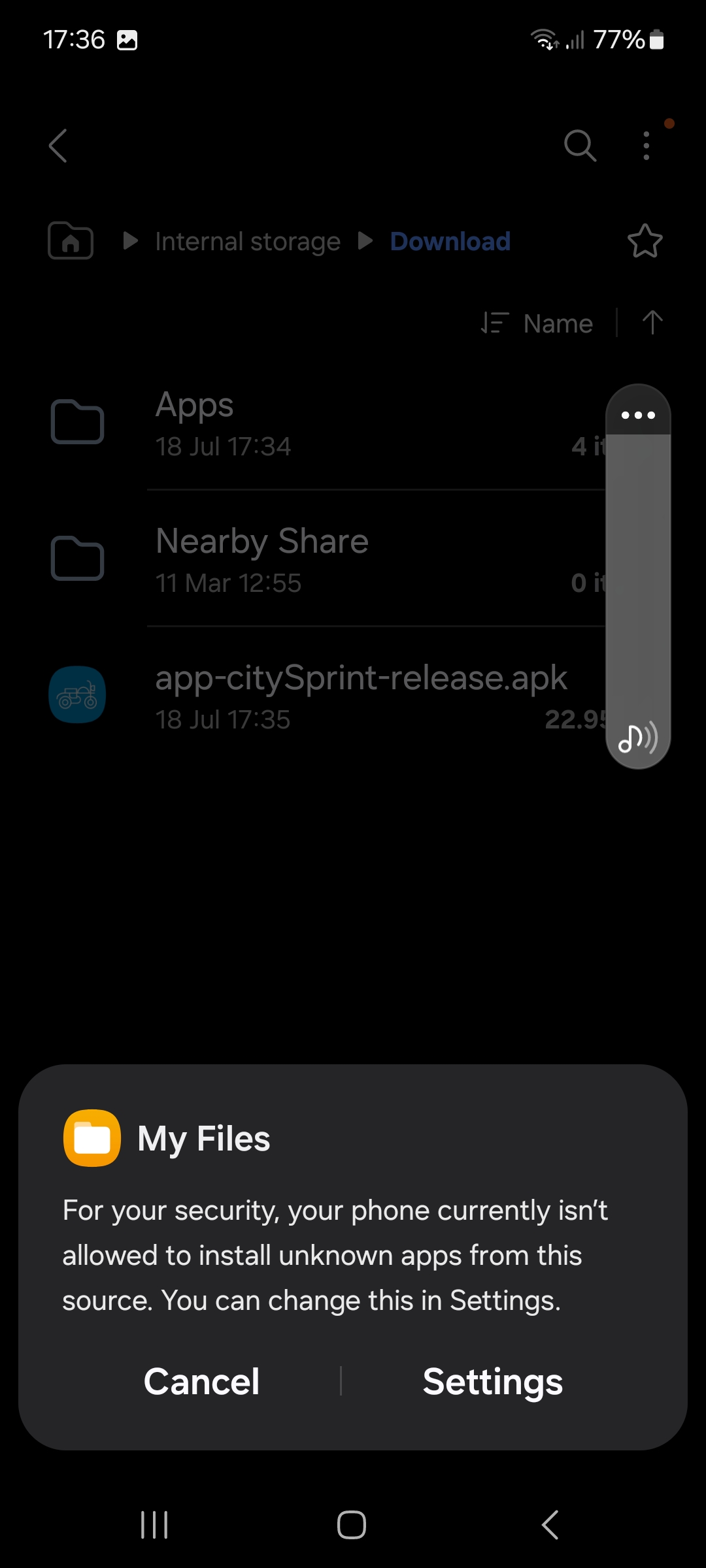
Select the app-citySprint-release.apk file. This will bring up a prompt that unknown applications are unable to be installed.
Step 6
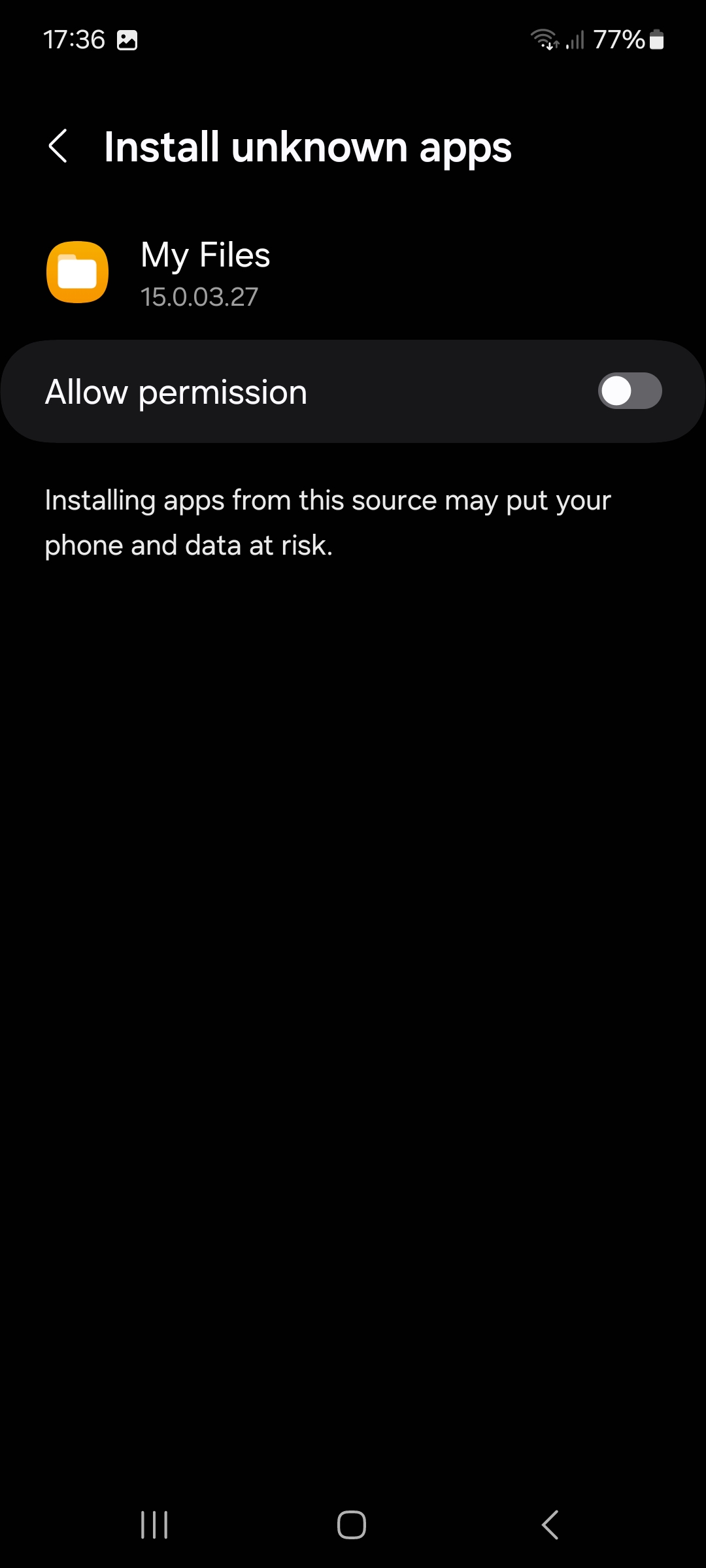
Select the Settings option. This will take you to the permissions page. Toggle the slider to the right and then press the back button
Step 7
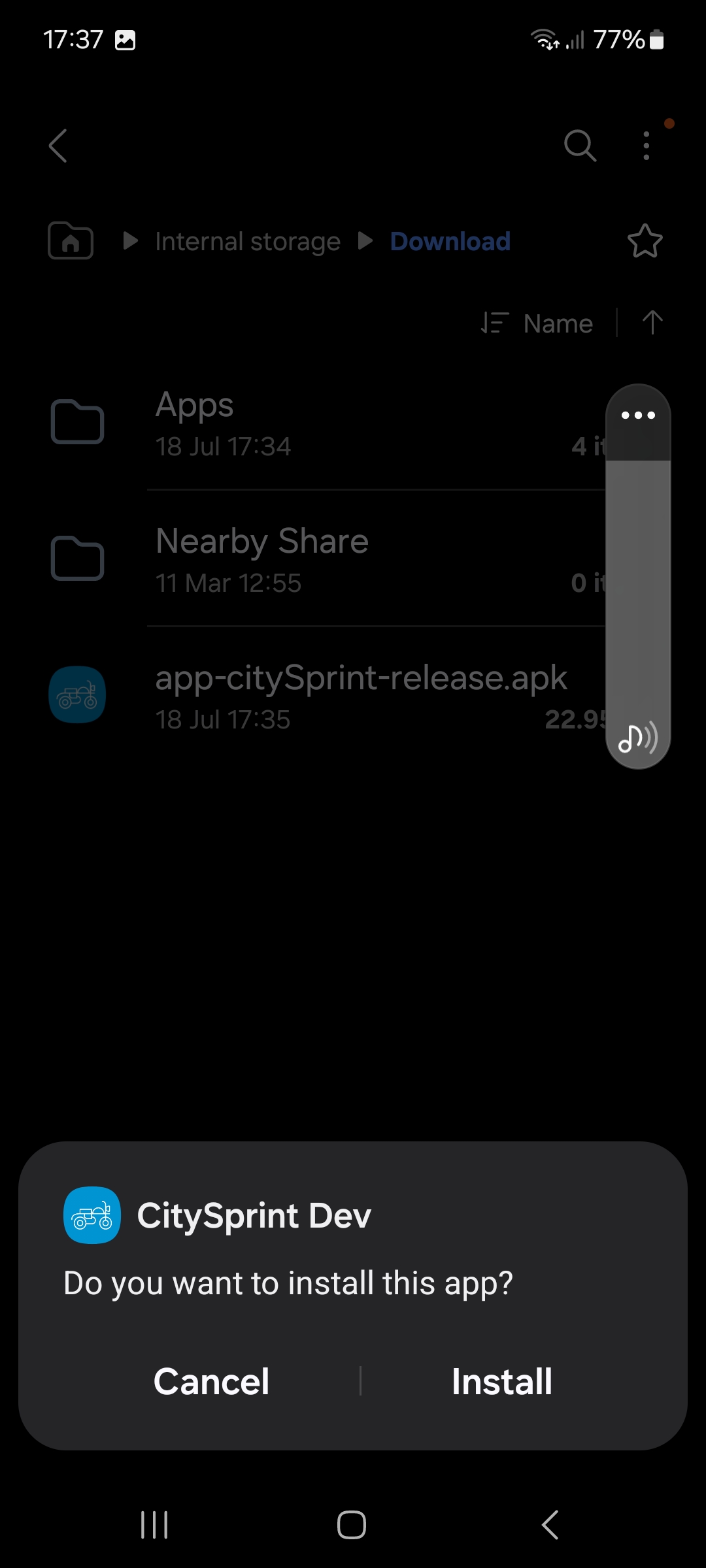
Tap Install.
Step 8
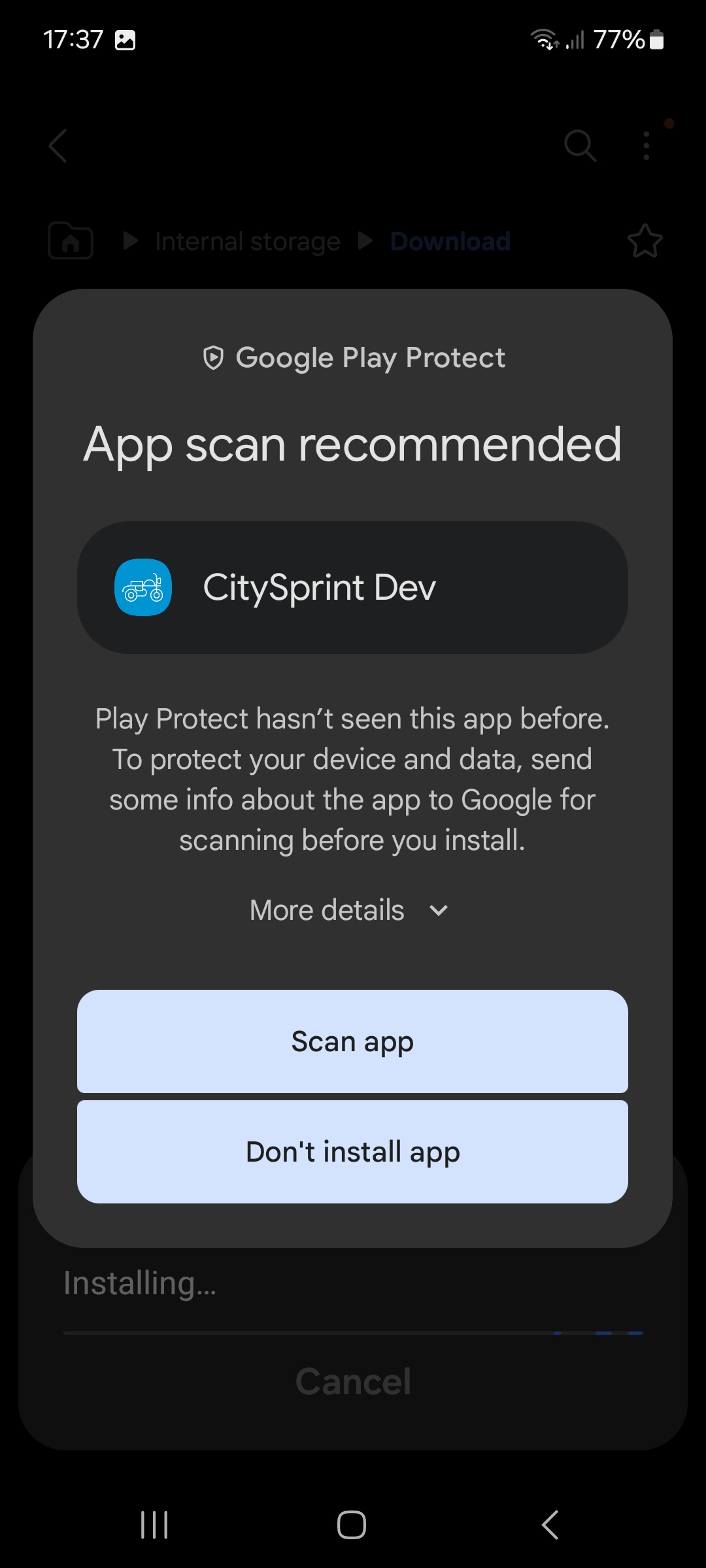
A warning may appear about play protect, select More details. (this warning appears because the courier app is not in the google play store.)
Step 9
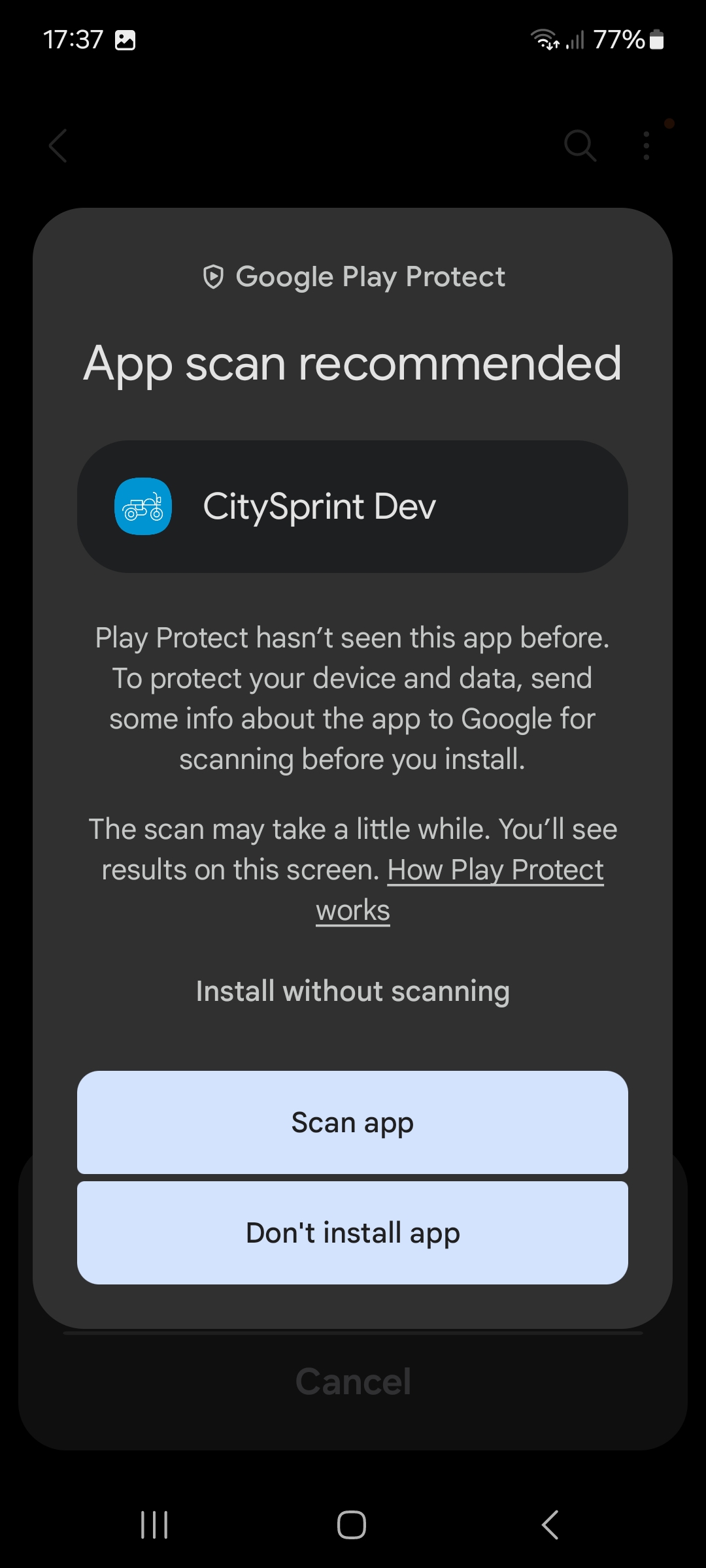
Tap Install without scanning..
Step 10
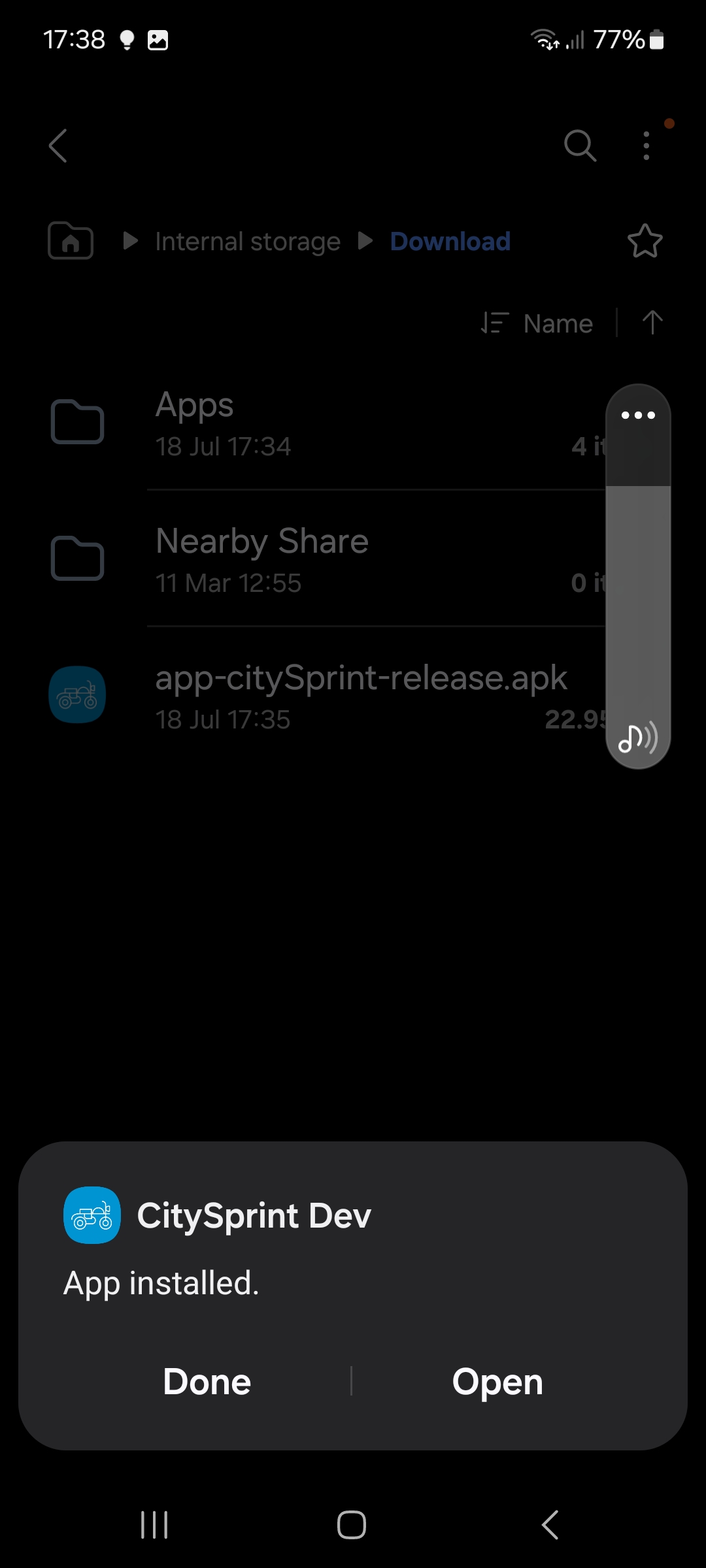
The app should now be installed, tap Open.
Step 11
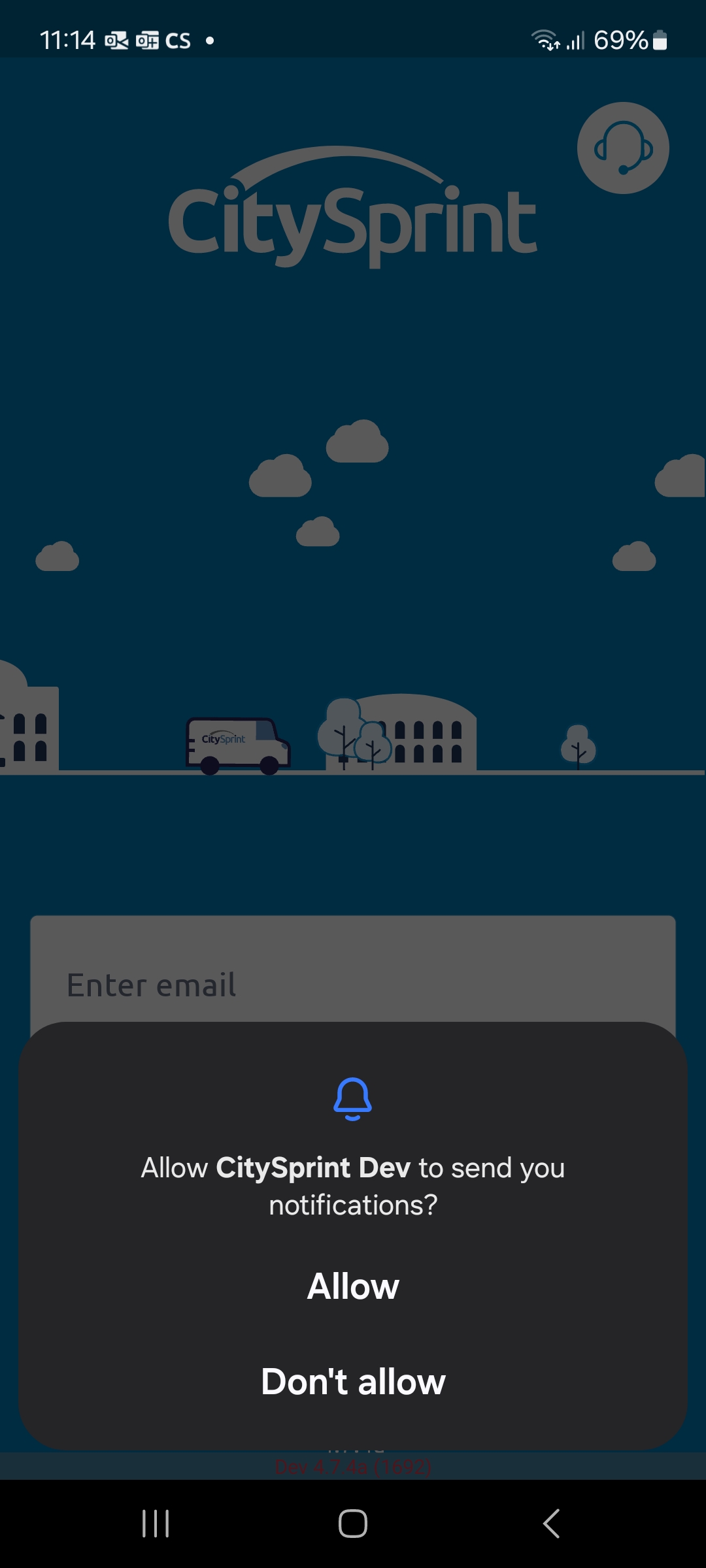
When you first open the app, it will prompt for notification permissions. Tap Allow to continue.
Step 12
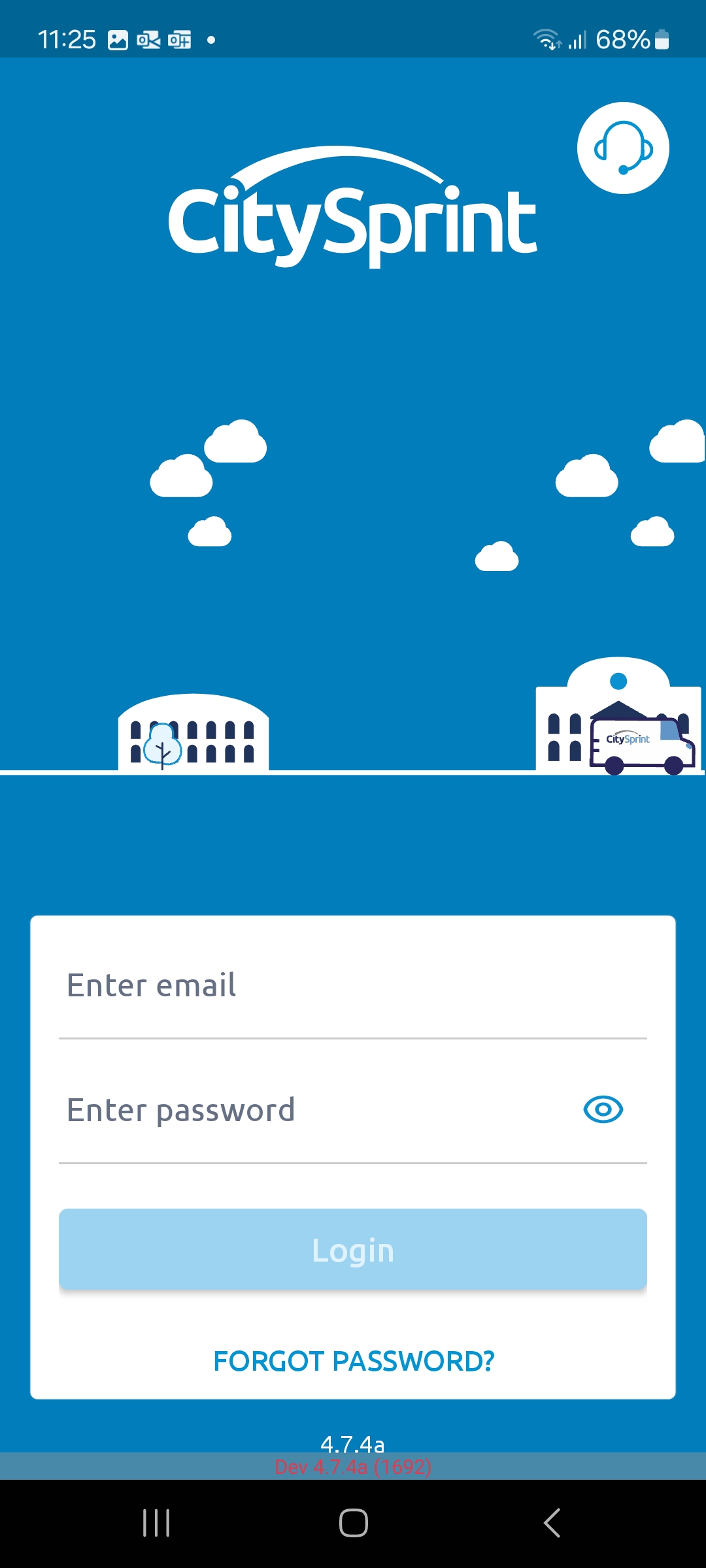
Enter your email address and password that you have been sent for the app. If you don't know your password you can use the Forgot my password option.
Step 13
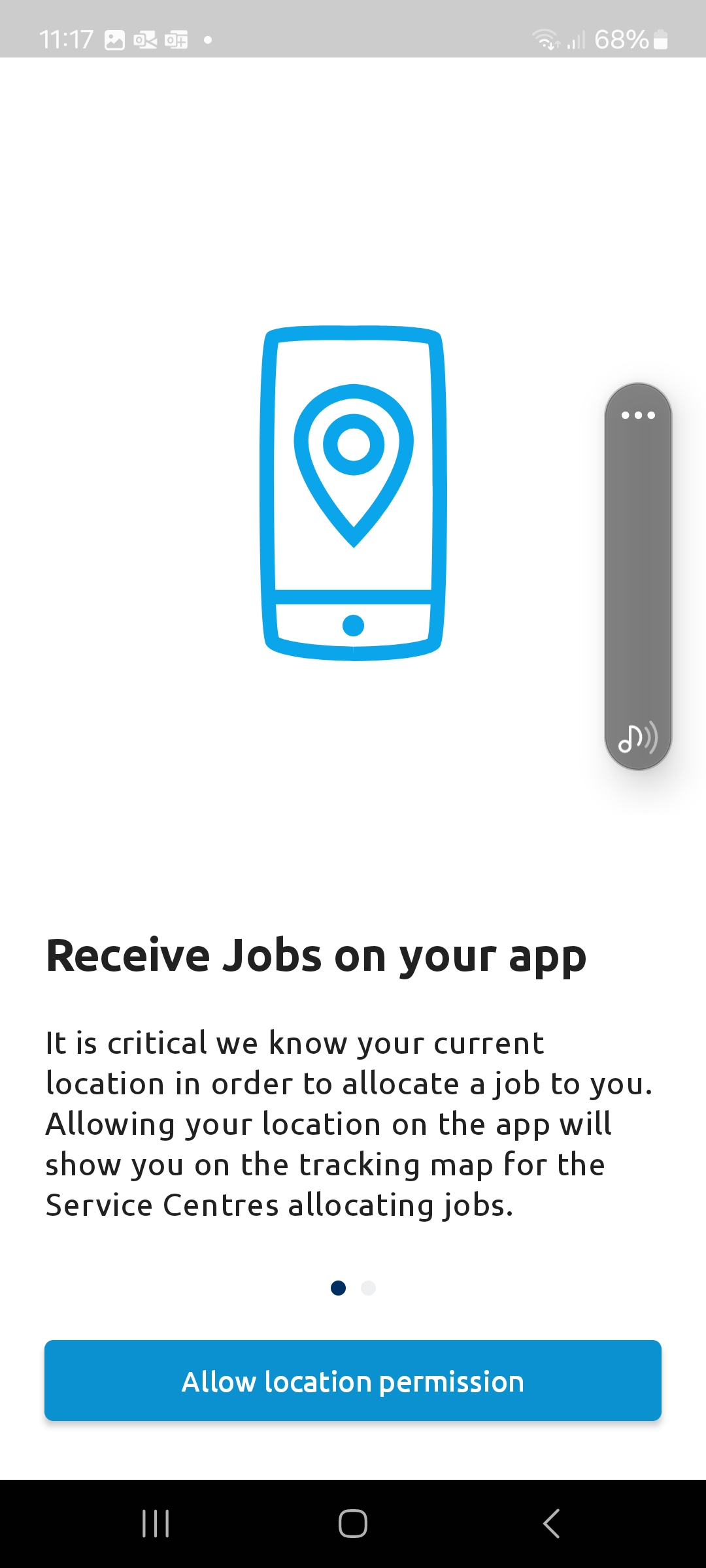
After logging in the app will prompt for location permission. Tap Allow location permission.
Step 14
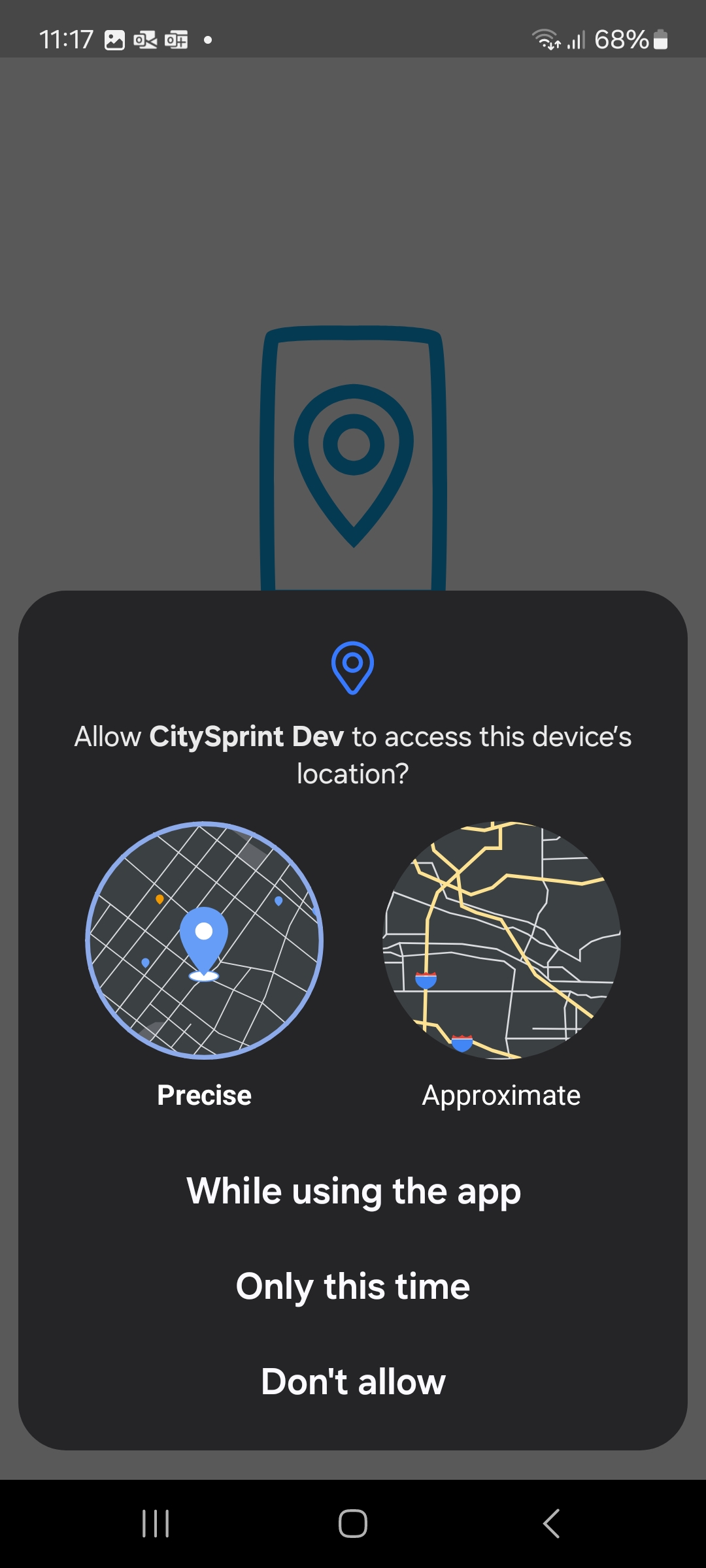
On the next screen, tap the Precise circle, and then tap While using the app
Step 15
And that's it, you should now logged into the app and on the job screen.